
If you are using the Cloudways hosting, 请按照以下步骤操作,Xilifox Image Optimizer 插件才能正常工作.
-
步 1. #
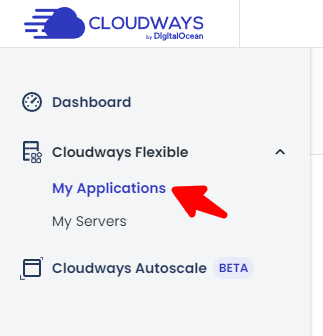
Log in to your Cloudways dashboard and go to the “My Applications” tab (or the Applications tab in the old version of the Cloudways dashboard).
-
步 2. #
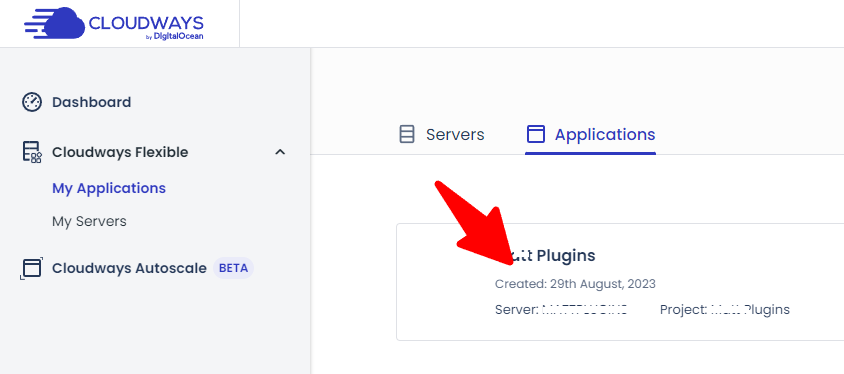
Find your website and go to its settings.
-
步 3. #
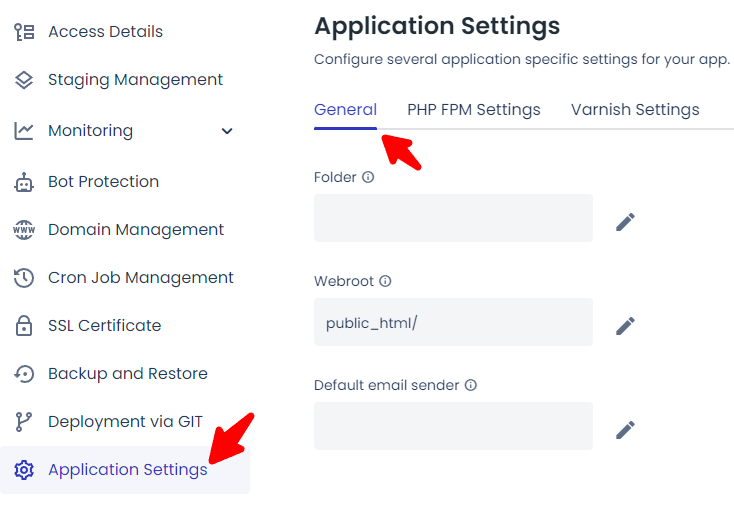
Go to the “Application Settings” tab and click on the “General” tab.
-
步 4. #
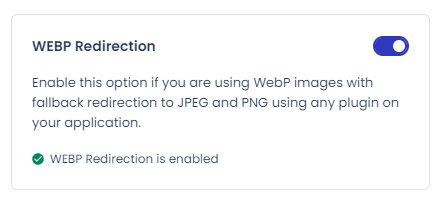
Enable the “WEBP Redirection” setting and wait one minute for the setting change to activate.
-
步 5. #
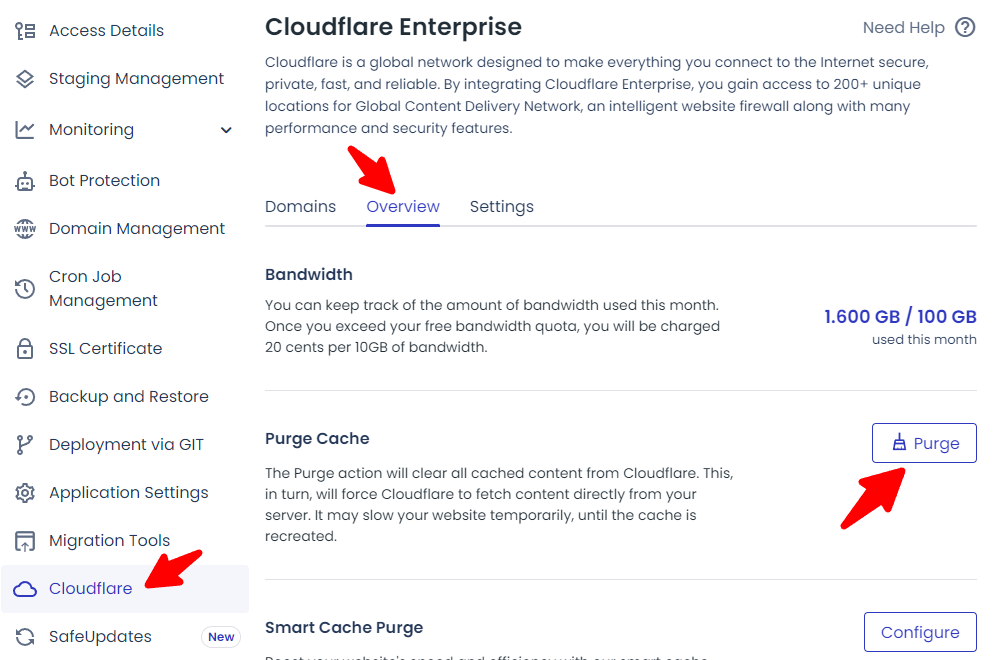
Go to the “Cloudflare” tab. If you are not using Cloudflare Enterprise, please skip this step. If you use it, go to the “Overview” tab and click the “Purge” button.
-
步 6. #
就这样! 我们的插件就可以正常工作了.